

You already know the feeling. You have notes scattered across five apps, a browser full of unsorted bookmarks, and a growing pile of PDFs you swore you'd organize "next weekend." Manual personal knowledge management is not just inefficient. It's a system that collapses under its own weight the moment life gets busy. A well-executed personal knowledge base automation setup changes that equation entirely, shifting the maintenance burden from your brain to an AI agent that works while you sleep.
Table of Contents
- Key takeaways
- Prerequisites for your automation setup
- Step-by-step: building the automated system
- Maintenance best practices and troubleshooting
- Comparing automation approaches
- My honest take on automating your knowledge base
- Take your knowledge system further with Hellomilo
- FAQ
Key takeaways
| Point | Details |
|---|---|
| Automation offloads cognitive load | AI-maintained wikis handle organization so you focus on thinking, not filing. |
| Setup takes less than an hour | A functional AI-assisted knowledge graph can be running in about 20 minutes with the right tools. |
| Never edit AI-owned files directly | Treat the AI-maintained wiki as immutable to prevent sync conflicts during regeneration. |
| Agentic retrieval saves resources | Token usage drops 50 to 90% when agents read compact indexes instead of raw data. |
| Maintenance is an ongoing practice | Schedule human reviews every 7 to 14 days to keep taxonomy accurate and the system healthy. |
Prerequisites for your automation setup
Before you write a single command, you need to understand the four core concepts that make knowledge management automation actually work. Think of these as the four layers of the system.
Raw sources are your unprocessed inputs: Markdown notes, PDFs, text files, and web clippings. The AI-maintained wiki is the structured output the agent builds and owns. You feed it raw sources; it produces organized, interlinked pages. Agentic retrieval is how your AI assistant queries that wiki without loading everything into memory at once. And schema files (sometimes called skill files or focus area files) are configuration documents that tell the AI what to prioritize, how to cluster topics, and how to interpret your personal style.
Recommended tools
Here is what a practical stack looks like for most users in 2026:
- AI assistant: Claude Code or Cursor. Both support slash commands and persistent skill files that load on startup.
- Note viewer: Obsidian. It renders the Markdown wiki files the AI generates, so you can browse your knowledge base visually.
- Version control: Git. This is non-negotiable. Every automated change to your wiki should be tracked and reversible.
- Scripting: Python 3.10 or higher, for running setup scripts and auxiliary indexing tasks.
- Database layer: Tools like GBrain use PGLite for serverless local DB provisioning that spins up in about 2 seconds with zero configuration.
The table below compares the two most common deployment choices:
| Option | Where wiki lives | Best for | AI assistants supported |
|---|---|---|---|
| Global wiki | Home directory, shared across projects | Power users with multiple workspaces | Claude Code, Cursor |
| Local wiki | Inside a single project folder | Focused single-project setups | Claude Code, Cursor, others |
Pro Tip: If you are on Windows, run your setup inside WSL2. Most automation scripts assume a Unix-style environment, and fighting path issues on native Windows will cost you hours.
Step-by-step: building the automated system
This is where the setup actually happens. Follow these steps in order and you will have a working AI-maintained knowledge base by the end of the session.
-
Clone the repository. Pull down a knowledge base creator repo (such as PersonalKnowledgeBaseCreator on GitHub) into your chosen directory. Run "git clone
and thencd` into the project folder. -
Run the setup script. Execute
python setup.pyor the equivalent shell script for your preferred AI assistant. This creates the folder structure: a/raw_sourcesdirectory for your inputs and a/wikidirectory that the AI will own. -
Add your raw source files. Drop your Markdown notes, PDFs, and plain text files into
/raw_sources. Do not worry about organizing them. The agent's job is to find the structure, not yours. -
Edit the schema file. Open
schema.mdorfocus_areas.mdand define your topic clusters. If your knowledge spans software engineering, personal finance, and cooking, list those as top-level focus areas. This shapes how the AI groups and links content. -
Define your skill file. Skill files store instructions and prompts that load every time your AI assistant starts. Use this to encode your writing style, preferred terminology, and recurring workflows. The AI will maintain context on these preferences across sessions without you repeating yourself.
-
Compile the wiki. In Claude Code, run
/compile-wikior the equivalent command. In Cursor, trigger the wiki build task from the command palette. The agent reads your raw sources, applies your schema, and writes structured Markdown pages into/wiki. -
Query your knowledge base. Once compiled, you can ask your AI assistant questions like "What do I know about compound interest?" or "Summarize my notes on React hooks." The agent reads the compact wiki index first, then traverses only the relevant linked pages. This is agentic retrieval in practice.
-
Open Obsidian. Point Obsidian's vault at your
/wikifolder. You now have a visual, browsable graph of everything the AI organized for you.
Pro Tip: Run your first compile on a small batch of 10 to 20 files. Verify the output looks right before feeding in hundreds of documents. Catching schema misconfigurations early saves significant rework.
Maintenance best practices and troubleshooting
Getting the system running is one thing. Keeping it useful over months and years is the real challenge. This is where most people fall off.

The single most important rule is this: treat AI-maintained wiki files as immutable. If you manually edit a file inside /wiki, the next automated regeneration will overwrite your changes or create a merge conflict that corrupts the structure. The division of labor is clear. You own /raw_sources. The AI owns /wiki. Respect that boundary.
Beyond that rule, here are the maintenance practices that actually matter:
- Schedule incremental indexing. For sources that change frequently (daily notes, active research), run nightly indexing. For stable reference material, a weekly refresh is sufficient. Nightly incremental indexing is the recommended cadence for high-change sources.
- Audit taxonomy every 7 to 14 days. The AI clusters content based on your schema, but it will occasionally miscategorize edge-case notes. A quick 15-minute review catches drift before it compounds.
- Monitor connector health. If you are pulling from external sources (email, Notion exports, web clippings), check that the import pipeline ran successfully after each cycle. Silent failures are the most dangerous kind.
- Set an error budget. Not every miscategorized note is a crisis. Decide in advance that 5% miscategorization is acceptable, and only intervene when you exceed that threshold.
"The major cause of abandoning knowledge bases is maintenance cost growing faster than perceived value. Agent-maintained wikis solve this by offloading bookkeeping to AI, letting humans focus on high-level inquiry."
When something breaks, the most common culprits are a malformed schema file, a raw source with encoding issues (usually a PDF with unusual characters), or a skill file that conflicts with a new version of your AI assistant. Check those three things first before digging deeper.
Comparing automation approaches
Not every setup needs full agentic automation from day one. Here is an honest comparison of the three main approaches, so you can match the method to your actual situation.
| Approach | Setup effort | Maintenance burden | Query speed | Best for |
|---|---|---|---|---|
| Manual organization | Low initially | Very high over time | Slow (keyword search) | Tiny knowledge bases |
| Semi-automated (tagging + search) | Medium | Medium | Medium | Casual personal use |
| Fully agent-maintained wiki | Medium upfront | Very low ongoing | Fast (agentic graph) | Professionals, researchers |
The efficiency difference between manual and fully automated is not marginal. Semantic retrieval improves efficiency by 50 to 60% over keyword matching because the system understands intent rather than just matching strings. When you ask "what were my thoughts on pricing strategy last quarter," a semantic graph finds the answer. A keyword search returns every file that contains the word "pricing."
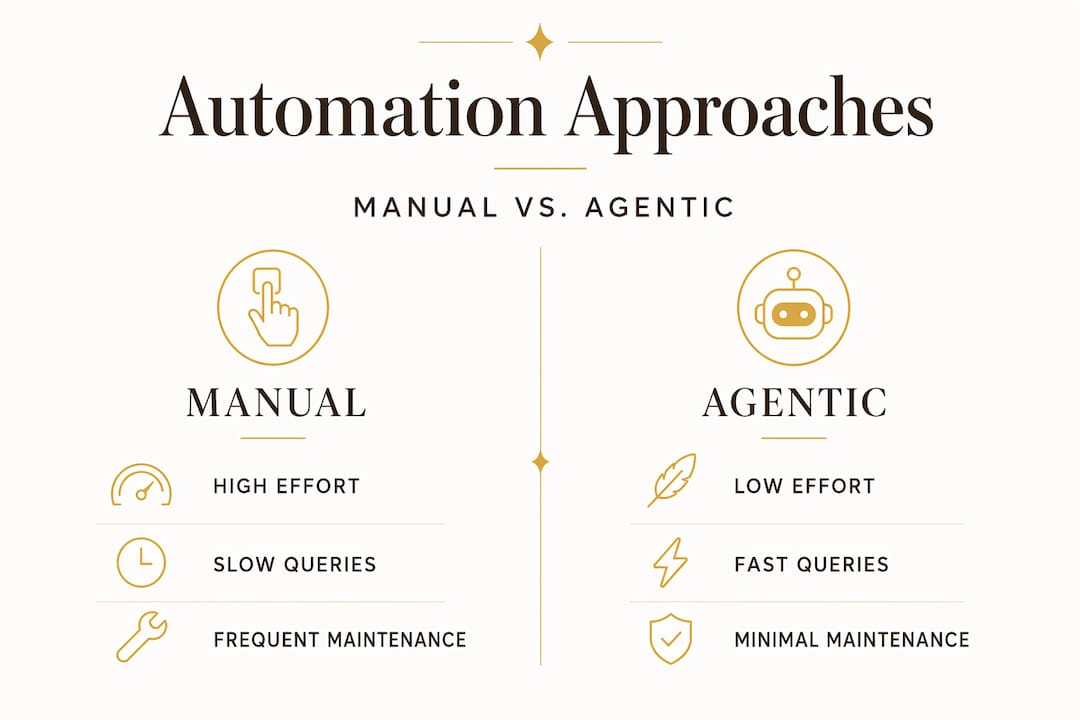
The token savings are equally significant. Agentic retrieval cuts token usage by 50 to 90% compared to loading full raw documents into context for every query. That matters both for speed and for cost if you are using a paid API.
Companies using AI for knowledge management report 30% less time searching for information. For an individual professional, that translates to roughly an hour per day redirected toward actual work.
Pro Tip: Start with the semi-automated approach if you have never used version control before. Get comfortable with Git commits and rollbacks on a small wiki first. Adding full agentic automation on top of a workflow you already understand is far easier than learning everything at once.
My honest take on automating your knowledge base
I have been running an AI-maintained knowledge base for long enough to have made most of the mistakes worth making. Here is what I have learned that most guides skip over.
The mindset shift is harder than the technical setup. You have to genuinely let go of the idea that you should manually organize your notes. I spent weeks second-guessing the AI's clustering decisions, making small edits in /wiki, and then watching them disappear on the next compile. Once I stopped doing that and focused entirely on improving my raw sources and schema, the system got dramatically better.
The other thing nobody tells you upfront: token costs can surprise you during the initial bulk compile. If you have 500 documents and you run a full recompile, you will burn through a meaningful chunk of your API quota. Plan for that. After the first compile, incremental updates are cheap. But that first pass is expensive.
What I find genuinely exciting is the long-term trajectory. Self-evolving AI systems can improve accuracy by 28 points while reducing the need for expert intervention. The system you build today will be more capable in six months without you doing much extra work, because the underlying models improve and your schema gets refined through regular audits.
Treat this as an operational system, not a project with a finish line. The people who get the most value from knowledge management automation are the ones who commit to continuous maintenance rather than expecting a one-time setup to run forever without attention.
— Ajeenkya
Take your knowledge system further with Hellomilo
If this setup process feels like a lot to hold in your head at once, that is exactly the problem Hellomilo built Loadout to solve.
Loadout is a structured starter pack for Claude Code users who want to go from scattered notes to a working automated system without spending days configuring things from scratch. It gives you pre-built skill files, schema templates, and a tested workflow that reflects real-world use, not just theory. Users who work through the Loadout starter pack report cutting their setup time significantly and actually sticking with their knowledge systems long-term because the maintenance overhead stays manageable. If you are ready to stop organizing manually and start querying intelligently, that is the right next step.
FAQ
What tools do I need for knowledge base automation?
You need an AI assistant (Claude Code or Cursor), Obsidian for viewing Markdown output, Git for version control, and Python for setup scripts. A local or serverless database layer handles indexing.
How long does the initial setup take?
A functional AI-assisted knowledge graph can be running in roughly 20 minutes from install to first query, assuming your raw source files are already collected and your schema is defined.
Can I edit files inside the AI-maintained wiki?
No. Direct edits to AI-owned wiki files cause conflicts during automated regeneration. Always make changes to your raw source files or schema instead, then recompile.
How much does agentic retrieval reduce token usage?
Agentic retrieval reduces token consumption by 50 to 90% compared to loading full raw documents into context, because the agent reads a compact index first and only fetches relevant pages.
How often should I audit my automated knowledge base?
Schedule a human review every 7 to 14 days to catch taxonomy drift and miscategorized notes before they compound into larger structural problems.